

SMM Panel Name and Domain: How to Choose and Build Trust
A first-time visitor decides in seconds whether your panel looks safe enough to deposit money. Your name, domain and a few trust signals do most of that work. Here is how to get them right.
In this chapter:
- What makes a good SMM panel name, and names to avoid
- A short process to brainstorm and shortlist names
- Choosing a domain extension and checking availability
- Free subdomain vs your own domain, and when to switch
- Logo, colours and a minimal visual identity
- Trust signals that matter on an SMM panel
- Securing matching social media handles
Why the name and domain matter
An SMM panel asks strangers to send money before they receive anything. That makes trust the main conversion factor, and the name and domain are the first trust signals a visitor sees: in a search result, a shared link, a Telegram message or a browser tab.
A good name does three jobs:
- It is easy to remember and type. Customers often come back by typing your address or searching your name.
- It hints at what you do or who you serve. Not always literally, but it should not confuse.
- It looks like a real business. Random strings of letters and numbers look temporary, and temporary looks risky.
If you have not yet decided your niche and target customer, read how to plan an SMM panel business first. The name should fit the audience, not the other way round.
What makes a good SMM panel name
Naming rules that work
- Short: aim for two syllables to four syllables, and ideally under 12 characters before the extension.
- Easy to spell after hearing it once: if you have to spell it out on a call, it is too hard.
- No hyphens or numbers unless they are part of a strong idea. They are easy to forget and easy to mistype.
- Pronounceable in your audience's language. A name that sounds odd or means something unwanted in the target language will hold you back.
- Room to grow: a name tied to one platform limits you if you expand later. "Telegram" in the name is fine for a Telegram-only panel, less so if you plan to sell everything.
- Distinct: not a near-copy of a well-known panel or brand. Customers confuse them, and you risk trademark trouble.
Names to avoid
| Avoid | Why |
|---|---|
| Platform trademarks as the main word (for example names built around "Insta" or "Tik") | Platform owners protect their marks; your domain or social accounts can be challenged |
| Claims such as "real", "guaranteed", "100%" | Over-promising in the name invites disputes and looks spammy |
| Generic stacks such as "best-cheap-smm-panel-2026" | Looks like spam, hard to remember, dates quickly |
| Names very close to an existing panel | Confusion, possible legal issues, and you inherit someone else's reputation |
| Hard-to-read letter combinations | Typos send customers to the wrong site |
Check that your name is not a registered trademark in your main market before buying anything. A quick search of the trademark office database for your country is a good start.
A simple naming process
- Write keywords around your niche. For example: boost, growth, social, reach, wave, pulse, nova, crowd, plus words in your audience's language.
- Combine and shorten. Pair two short words, add a prefix or suffix, or invent a word with a clear sound.
- Shortlist five to ten names. Say each one out loud. Drop anything you have to explain.
- Check the domain. Look up your preferred extensions for each shortlisted name.
- Check social handles. See whether the name is free on the platforms where your customers are.
- Ask three people from your target audience which name they would trust with money. Their answer matters more than yours.
- Pick one and move on. A decent name you launch with beats a perfect name you are still searching for.
Example shortlist (illustrative)
The names below are invented to show the thinking. Check availability and trademarks yourself before using any name.
| Candidate | Fits | Notes |
|---|---|---|
| ReachNest | General panel | Two short words, easy to say |
| GramWave | Instagram focus | Contains a platform-like word; check trademark risk |
| TeleCrowd | Telegram niche | Clear niche, limits later expansion |
| BoostLab | Agencies, creators | Common words; many variants may be taken |
| Nuvexa | Brandable | Invented word, unique, needs more marketing to explain |
Choose the right domain
Extension
- .com is the most recognised worldwide and the easiest for customers to remember.
- Country extensions (for example .com.tr, .de, .com.br) build local trust if you focus on one market, but some have registration requirements.
- Newer extensions (such as .io, .co, .app, .net) are fine if the .com is taken and the name is strong, but customers may type .com by habit.
Whichever you choose, avoid extensions that are commonly associated with spam in your market; they can hurt both trust and email deliverability.
Domain buying checklist
- Register the domain in your own name and account, not a friend's or a freelancer's.
- Turn on auto-renew and keep a valid payment method on file at the registrar. An expired domain takes your panel offline.
- Enable two-factor authentication on your registrar account.
- Turn on WHOIS privacy if your registrar offers it.
- Consider registering one obvious misspelling or the other common extension if your budget allows.
Free subdomain or your own domain?
On SMMFor every panel gets a free address such as yourname.smmfor.com as soon as it is created. You can also connect your own domain, with SSL included, at any time.
- Ready in minutes, free
- Good for testing the idea
- Weaker brand recall
- Your own brand and trust
- SEO value stays with you
- SSL included on SMMFor
| Free subdomain (yourname.smmfor.com) | Your own domain (yourname.com) | |
|---|---|---|
| Cost | Included | Yearly domain fee |
| Setup time | Instant | DNS records and verification, usually minutes to a few hours |
| Trust for new visitors | Acceptable for testing | Higher; looks like an independent business |
| Brand ownership | Tied to the platform address | Fully yours; you can move it later |
| SEO over time | Limited brand value | Builds your own search presence |
| Email on your brand | Not available on that address | Possible with your own email setup |
| Best for | Building and testing before launch | Public launch and marketing |
A practical approach: set up and test on the free subdomain, then connect your own domain before you start marketing. Once your domain is verified and set as the primary address, visitors to the free address are sent to your domain, so links you shared earlier keep working. The Domains documentation explains the DNS steps.
Root domain or a subdomain of your own domain?
If your panel is your main business, use the root domain (yourname.com). If you already have a website, agency or brand on the root domain, a subdomain such as panel.yourbrand.com or smm.yourbrand.com keeps the panel connected to that brand. Both work with SSL; choose based on what your customers already know.
Logo and visual identity
You do not need an expensive brand package to start. You need a consistent, clean look that does not look copied.
The minimum identity kit
- Logo: a simple wordmark (your name in a clear font) is enough. It must be readable at small sizes, such as in a browser tab.
- Favicon / icon: a single letter or simple mark that works at 32×32 pixels. On SMMFor this icon is also used for the installable mobile app of your panel.
- One main colour and one accent: pick colours with enough contrast for buttons and text. Check them in both light and dark backgrounds.
- One or two fonts: one for headings, one for body text, or a single font family for both.
- A short tagline: one line about who you serve, for example "Telegram growth services for channel owners".
Visual identity rules
- Do not use social platforms' logos as your logo or inside it. Use generic icons for platforms in your catalog instead.
- Keep the same logo, colours and name on your site, social profiles, Telegram bot and invoices or receipts.
- Choose a design that matches your audience: agencies expect a calm, professional look; creators may respond to brighter styles.
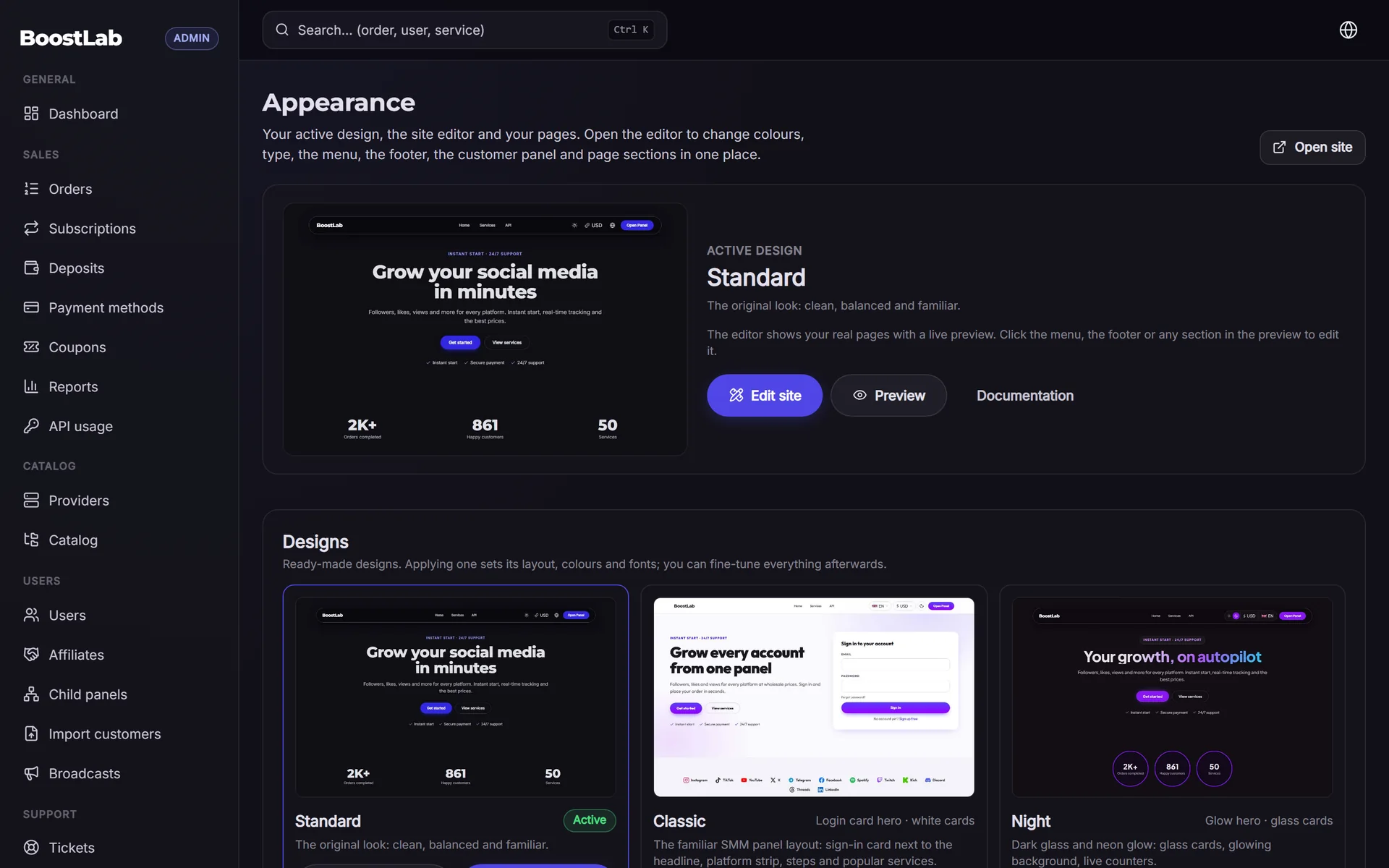
On SMMFor you can apply one of the ready designs and adjust colours and fonts to your identity; see the designs gallery. The full storefront topic is covered in the website design chapter.
Trust signals that matter
After the name and domain, these signals decide whether a visitor creates an account and makes the first deposit.
On your site
- HTTPS everywhere. Never launch without SSL. On SMMFor certificates are issued automatically for verified domains.
- Clear service descriptions: start time, speed, refill period and what happens if counts drop.
- Visible policies: terms of service, refund policy and privacy policy. See the legal and policies chapter.
- Real contact options: a support ticket system plus at least one direct channel your audience uses, such as Telegram or WhatsApp.
- Familiar payment logos only for methods you actually accept.
- An about or FAQ page that explains who runs the panel and how orders work.
- Consistent language: no half-translated pages. If you serve two languages, finish both.
Things that destroy trust
- Fake reviews, fake order counters or invented customer numbers. They are easy to spot and, in many places, illegal.
- Promises of guaranteed results or "100% safe" services.
- Broken links, placeholder text, or demo content left from the template.
- A support channel that never answers.
- Prices that change without notice on running orders.
Trust is built more by what you leave out than by what you add. Remove every claim you cannot back up.
Off your site
- A social profile or Telegram channel with real updates, such as new services, maintenance notes and announcements.
- Consistent name and logo everywhere you appear.
- Answering public questions politely, including complaints.
- Later, a review platform profile once you have real customers. SMMFor supports a Trustpilot widget you can enable when you have genuine reviews.
Secure your social handles
Even if you do not plan to be active everywhere, reserve your name on the platforms that matter for your audience so nobody else can use it.
Handle checklist
- Telegram: a channel for announcements and a username for support. Many SMM customers expect Telegram contact.
- Instagram and TikTok: useful if you target creators.
- X (Twitter) and YouTube: optional, depending on your niche.
- WhatsApp Business: common for support in many regions.
- Email: a support address on your own domain looks more professional than a free webmail address.
Tips for handles
- Use the same handle everywhere if possible. If it is taken, add a short consistent suffix such as "app" or "hq".
- Fill in the profile: logo, short bio, link to your panel.
- Set up two-factor authentication on each account. Losing a support account to a hacker can be used to scam your customers.
- Be careful with how you promote your own panel on social platforms; their policies may restrict advertising engagement services.
Brand launch checklist
- Name chosen, said out loud, tested with a few target customers.
- Trademark search done for your main market.
- Domain registered in your own account, auto-renew and 2FA on.
- Logo, icon, main colour, accent colour and fonts decided.
- Tagline written in every language you will support.
- Social handles reserved and profiles filled in.
- Support contact channels decided and tested.
- Policies drafted (terms, refunds, privacy).
- Free subdomain working; own domain ready to connect before marketing starts.
Want to see how a name and design look in practice? You can open a panel with a 3-day free trial at smmfor.com/signup and preview your brand on a real storefront before you buy a domain.
Next step
Your panel now has a name, a domain plan and an identity. The next chapter takes you through the actual setup on SMMFor, from signup to your first test order: SMM panel setup step by step. You can also return to the guide overview or revisit the planning chapter.
Ready to start? Open your panel at smmfor.com and connect your domain when you are ready to launch.